If you’re staring at the App Store the week before your Korea trip, wondering whether you actually need Naver Map, Papago, T-money, Kakao T, Uber, KakaoTalk, and CatchTable all at once — you don’t. The most common question in Korea travel apps threads on Reddit isn’t “which app is best,” it’s “how many of these do I actually need,” and the honest answer from people who’ve already been is: far fewer than you think.
This guide skips the exhaustive app-store tour and gives you the short list first: the 3 apps nearly every visitor ends up using on a Korea trip, when the “extra” apps are actually worth downloading, and where Naver Map still beats Google Maps in 2026. No more download-everything anxiety — just what to install before you land.
Table of Contents
- The Only 3 Apps You Actually Need for a Korea Trip
- Why Korea Has So Many Travel Apps in the First Place
- Naver Map vs Google Maps Korea: Which One to Use in 2026
- Situational Apps: More Options You Might Need for Korea
- What Actual Travelers Say
- Korea Travel Apps by Trip Style
- 5-Minute Pre-Landing App Setup
- Quick-Reference: Korea Travel Apps Compared
- Mistakes to Avoid With Travel Apps in Korea
- Frequently Asked Questions About Korea Travel Apps
- Your Pre-Trip Apps Checklist
Quick answer: The only 3 apps you truly need for a Korea trip are (1) Naver Map for directions, (2) Papago (or Google Translate) for menus and signs, and (3) Kakao T or Uber for taxis. Everything else — CatchTable, KakaoTalk, a T-money app — is optional, and this guide tells you exactly when to bother.

The Only 3 Apps You Actually Need for a Korea Trip
Search “Korea travel apps” and you’ll find lists of ten or more downloads. In practice, experienced travelers and even Korean residents consistently narrow it down to three categories: a map, a translator, and a way to call a ride. Everything past that is situational, not essential.
1. Naver Map — For Getting Anywhere
Naver Map is the default choice for walking routes, subway and bus directions with live arrival times, and business listings that are actually up to date. It has an English interface — switch it under Settings if it opens in Korean — and you can bookmark addresses in Korean before you land so you’re not typing Hangul on a tired, jet-lagged brain. Save your hotel, and one or two must-visit spots, as favorites before departure. It also shows Naver Map’s exact bus arrival times down to the minute, which matters more in Korea than almost anywhere else.
2. Papago — For Menus, Signs, and Small Talk
Papago is Naver’s translation app, and it’s built specifically for Korean, which shows in menu and sign translations. Point the camera at a menu and it overlays English text directly on the photo, which is faster than typing anything out. Google Translate has improved and works fine for most conversations and photo translations — several experienced travelers in Korea travel apps discussions say either one is “good enough” for a first trip. Download Papago if you want the sharper edge; keep Google Translate too since you likely have it already, and having both costs nothing.
3. Kakao T or Uber — For Taxis
Kakao T is the dominant ride-hailing app in Korea, with far more available cars and lower fares than Uber, which is typically 20-30% pricier for the same trip. Uber’s advantage is a familiar, English-first interface if a Korean-only app feels intimidating. Either works — you only need one. Set up your account and add a payment card before you land so you’re not fumbling with a sign-up screen curbside. See how to use Kakao T as a tourist for the exact steps, including how to pay the driver directly if your foreign card doesn’t go through.

Why Korea Has So Many Travel Apps in the First Place
If it feels like every task in Korea has its own dedicated app, you’re not imagining it — even Korean residents joke about it. Public transit runs through a T-money ecosystem with companion apps for balance checks and bike rentals. Restaurants split between walk-ins, phone bookings, and reservation platforms. Ride-hailing, messaging, maps, and translation are all separate products from separate companies, because no single “super app” dominates every category the way some travelers expect from other countries.
That fragmentation is real, but it’s also less relevant to a one- or two-week trip than it looks from the outside. Locals need the full stack because they use all of it daily. Visitors only need the three or four pieces that touch an actual tourist itinerary — getting somewhere, ordering food, and catching a ride — which is exactly why this guide starts with the short list instead of the long one.
Other countries condense some of this into one super-app that handles maps, payments, and messaging together; Korea doesn’t, and that surprises a lot of first-time visitors. It’s a design difference, not a sign you’re missing something obvious. Once you accept that the apps stay separate, deciding which ones to install gets a lot simpler.
Naver Map vs Google Maps Korea: Which One to Use in 2026
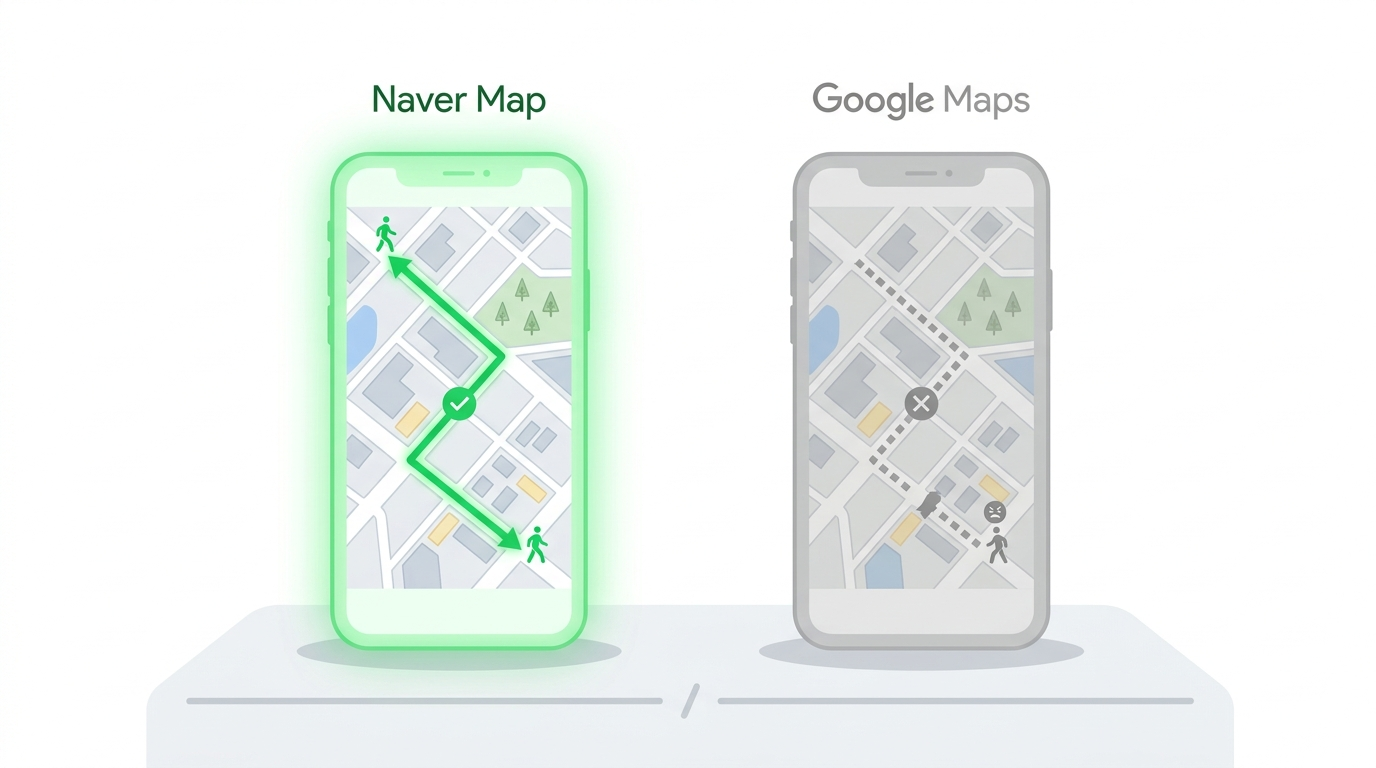
This is the most-asked question in every Korea travel apps thread, and the confusion is understandable — the situation has genuinely been changing. For years, South Korean law restricted exporting high-precision map data outside the country over national security concerns, so Google Maps could show transit routes but not reliable walking or driving directions (background via Wikipedia).
In February 2026, Google received conditional government approval to export the map data needed for full navigation (reported by TechCrunch). As of mid-2026, though, the rollout is still incomplete — industry watchers expect the changes to fully land six to twelve months after approval. So today, Naver Map is still the more reliable of the two for walking directions, live bus and subway data, and restaurant details. Google Maps works fine for transit routing and general orientation, and that gap is closing — just not closed yet.
Bottom line: keep Google Maps installed for photos and general search, but use Naver Map for actual navigation until Google’s rollout is confirmed complete. If you’ve traveled to Korea before and remember Google Maps being unusable, it’s worth checking back periodically — this is one of the few entries on this list that could change within the year.
Situational Apps: More Options You Might Need for Korea
These aren’t essential for everyone, but each solves a specific, common problem. Skip whichever doesn’t match your trip.
T-money and the T-money App: Card or Phone?
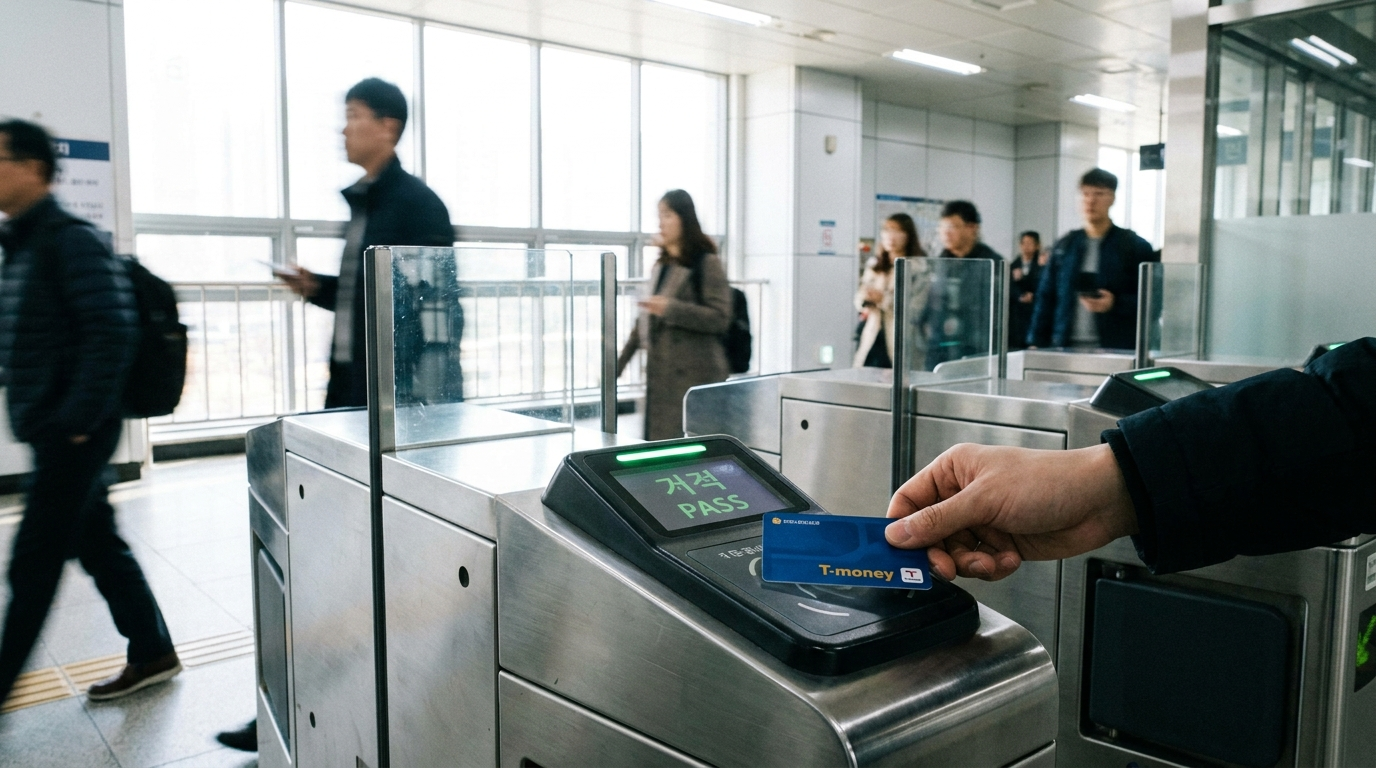
T-money is Korea’s transit card, used for subways, buses, and even some taxis and convenience stores. You do not need the T-money mobile app. A physical card, bought at any convenience store and topped up with cash at a subway station or register, is simpler and works on any phone. The T-money app is really only useful if you have a compatible Samsung phone and want to skip carrying a card — most tourists don’t bother. Read the full T-money card guide for where to buy one and how transfer discounts work.
CatchTable: Do You Need a Restaurant Reservation App?
Only if you’re chasing a specific popular restaurant with a waitlist. Casual meals need no reservation app at all. Older guides say CatchTable requires a Korean phone number — that’s outdated. The CatchTable Global app now lets tourists sign up with Google, Apple, or email and pay with a foreign card, no Korean number needed (per the Korea Tourism Organization). For most trips, walking in and asking is still perfectly normal — see how CatchTable and restaurant reservations work for the full picture.
KakaoTalk: Is It One of the Apps You Need for Korea?
Only if you’ll be messaging Korean friends, a host, or a tour guide. KakaoTalk is Korea’s dominant messaging app, similar to WhatsApp elsewhere, but plenty of Koreans in their 20s to 40s now exchange Instagram instead when meeting someone new. If you’re not messaging locals, skip it — your existing messaging apps are fine for talking to people back home.
eSIM and Data: Get Online Before You Land
Every app on this list needs a data connection to be useful, and airport Wi-Fi alone won’t cut it once you’re outside. Buying an eSIM before departure means you land already connected, instead of hunting for a kiosk with a queue. See the eSIM and SIM card guide for tourist-specific plans.
What Actual Travelers Say
Ask a group of Korea travel apps first-timers and everyone shares a slightly different starter list — Kakao T, K-Ride, CatchTable, KakaoTalk, sometimes a second map app “just in case.” Ask people a few days into an actual trip, and the list quietly shrinks to almost the same three or four names every time: Naver Map, a translator, a ride app, and a T-money card.
That pattern shows up repeatedly in traveler forums and threads from people planning first-time Korea trips: the anxiety is front-loaded, before departure, and mostly resolves itself within the first day of actually being there. Several experienced visitors and Korean residents responding to those threads make the same point in different words — you traveled to other countries before smartphones existed, and Korea is genuinely not the exception that requires an app for every five minutes of the day.
The reassurance shows up so consistently because it’s true: people who arrive with only three apps and a physical transit card get through the same itinerary as people who arrive with ten. The extra downloads mostly just sit unused on the home screen.
Korea Travel Apps by Trip Style
The right combination shifts slightly depending on how you’re actually traveling, not just what’s technically available.
Solo, Seoul-Only, Under a Week
Stick to the core three — Naver Map, a translator, and Kakao T or Uber — and skip everything situational unless a specific restaurant is already on your list. Short trips rarely justify the setup time for reservation or messaging apps you’ll use once or not at all.
Traveling With Kids or Extended Family
Add CatchTable earlier in your planning rather than later — waiting with young kids for a walk-in table is a different experience than waiting solo, and reserving ahead removes one daily variable. A physical T-money card per person, rather than sharing one, also avoids bottlenecks at subway gates.
Multi-City Trips (Seoul, Busan, Jeju, and Beyond)
Naver Map and your T-money card work the same way nationwide, so nothing changes there. Ride-hailing coverage thins out outside Seoul and Busan, so build extra buffer time for taxis in smaller cities, and lean more on Naver Map’s bus and train directions between regions.
Day Trips From a Seoul Base
If you’re using Seoul as a home base for day trips, Naver Map’s live bus and train arrival times matter even more than usual, since regional routes run less frequently than city ones. Check departure times the night before rather than walking up and hoping.
5-Minute Pre-Landing App Setup
Do this before you board, while you still have reliable home Wi-Fi, and skip it once you’re jet-lagged and offline:
- Download Naver Map, switch the interface to English under Settings, and save your hotel plus two or three must-visit spots as favorites.
- Download Papago and Google Translate, and grab Papago’s offline Korean pack in case you lose signal partway through the trip.
- Create a Kakao T or Uber account and add a payment card, so you’re not filling out forms curbside in the rain.
- Confirm your eSIM is installed and ready to activate the moment you land.
That’s the entire setup. Everything else on this list can wait until you actually need it, which for most trips is never.
Quick-Reference: Korea Travel Apps Compared
| App | Purpose | Do You Need It? |
|---|---|---|
| Naver Map | Walking, transit, and business directions | Yes — essential |
| Papago / Google Translate | Menus, signs, conversation | Yes — pick one |
| Kakao T / Uber | Taxis and ride-hailing | Yes — pick one |
| T-money (physical card) | Subway, bus, convenience store payment | Yes, but skip the app |
| CatchTable | Restaurant reservations at popular spots | Only if targeting a specific restaurant |
| KakaoTalk | Messaging Korean contacts | Only if messaging locals |
| Google Maps | General search, transit routing | Optional backup |
Read this table as a filter, not a shopping list: three rows are non-negotiable, and the rest only matter once a specific need in your itinerary calls for them.
Mistakes to Avoid With Travel Apps in Korea
Downloading everything before you leave. Ten half-used apps on your home screen doesn’t make a trip smoother — it makes packing your phone more stressful than packing your bag. Start with the 3 essentials and add situational apps only when a specific need comes up.
Navigating on foot with Google Maps. As of 2026, walking directions are still unreliable in Korea. Use Naver Map for turn-by-turn routes and save Google Maps for general searches.
Assuming every restaurant needs a reservation app. Most casual restaurants, markets, and street food stalls take walk-ins. Reservation apps matter for a short list of famous, high-demand spots — not for daily meals.
Skipping a physical T-money card as backup. Phone battery dies, roaming hiccups happen. A ₩3,000 card from any convenience store means you’re never stuck at a turnstile.
Not saving addresses in Korean before you land. Typing Hangul from scratch on unfamiliar keyboards wastes time you don’t have on a packed itinerary. Copy addresses into Naver Map favorites while you still have reliable Wi-Fi at home.
Waiting until landing to set up payment on ride apps. Adding a foreign card to Kakao T or Uber takes a few minutes when you’re calm and connected at home — it takes a lot longer standing on a curb at midnight with a dying phone battery.
Frequently Asked Questions About Korea Travel Apps
What are the must-have Korea travel apps for a first trip?
Naver Map, a translator (Papago or Google Translate), and a ride-hailing app (Kakao T or Uber). That combination covers navigation, communication, and transport for almost any itinerary.
Does Google Maps work in Korea now?
Partially. Transit directions and general search work, but walking and driving navigation are still unreliable as of 2026, even after a February 2026 regulatory approval. Naver Map remains more dependable for now.
Is Google Translate good enough, or do I need Papago?
Google Translate is good enough for most situations, including photo translation of menus. Papago is sharper specifically for Korean and worth having as a second option, not a replacement.
Do I need the T-money app or just the card?
Just the card for almost everyone. Buy one at a convenience store, top it up with cash, and use it on subways, buses, and some taxis. The T-money app mainly helps if you have a supported Samsung phone and want to skip the physical card entirely.
Do I need a Korean phone number for CatchTable?
No — the CatchTable Global app accepts sign-ups via Google, Apple, or email and foreign payment cards, so a Korean number isn’t required.
Is KakaoTalk necessary for tourists?
Only if you’re messaging Korean contacts. It isn’t needed for navigation, payment, or translation, so skip it unless you have a specific reason to install it.
Do any of these apps require a Korean phone number to sign up?
No. Naver Map, Papago, Google Maps, Kakao T, Uber, and CatchTable Global all work with a foreign number or email address. A Korean number only becomes useful for KakaoTalk if you’re adding contacts by phone number rather than QR code.
What if I only have time to set up one app before my flight?
Naver Map. It covers the largest share of daily decisions — where to walk, which bus to catch, what’s actually open nearby — and it works the same whether you’re in Seoul, Busan, or a small coastal town.
Are there any Korea travel apps worth avoiding?
Be cautious with unofficial translation or “Korea travel” apps outside the well-known names in this guide — they tend to have outdated business listings or unreliable transit data. Stick to Naver Map, Papago, Kakao T, Uber, and CatchTable, all of which are maintained by major Korean or global companies.
Your Pre-Trip Apps Checklist
- Naver Map — download and bookmark key addresses before you fly
- Papago or Google Translate
- Kakao T or Uber — create an account and add a card in advance
- Physical T-money card — buy on arrival, not before
- eSIM installed and activated before departure
- CatchTable — only if a reservation-only restaurant is on your list
- KakaoTalk — only if messaging Korean contacts
Read next: things to know before visiting Korea for the rest of the honest, non-generic tips first-timers actually need.
That’s the whole list: three apps to install tonight, and a short set of “maybe” apps to grab only if your trip calls for them. Save this guide before your flight, and skip the app-store rabbit hole.